Showing 1–16 of 97 results

  • 19V 1.75A Asus Laptop AC Adapter Charger

    19V 1.75A Asus Laptop AC Adapter Charger

    0 out of 5

    Asus-Laptop-Charger-19v-1-75a |FOR Asus S200E X201E X202E Q200E

    Our Chargers go through a PA+ test to ensure market compliance. We source for qualified overseas suppliers and ensure they’re they have been vigorously vetted to ensure their certification before shipping. The result? Great Products! And in this case a laptop charger that will provide reliable service.

    Ps: As well as having a good charger, users are advised on taking care of their devices.

    Charger Maintenance Tips:

    1. Do not keep the battery on charge the whole time, disconnect the charger pin once the battery charge is full.
    2.  Do not drop the charger on hard surface.
    3.  Avoid placing your charger on moist or heat absorbent surfaces.
  • Acer Aspire 5637 Charger

    Acer Aspire 5637 Charger

    0 out of 5

    AC-Input: 19V,3.42A
    Has the following Features: Surge protection, Over-current protection, Voltage protection

    Our Chargers go through a PA+ test to ensure market compliance. We source for qualified overseas suppliers and ensure they’re they have been vigorously vetted to ensure their certification before shipping. The result? Great Products! And in this case a laptop charger that will provide reliable service.

    Ps: As well as having a good charger, users are advised on taking care of their devices.

    Charger Maintenance Tips:

    1. Do not keep the battery on charge the whole time, disconnect the charger pin once the battery charge is full.
    2.  Do not drop the charger on hard surface.
    3.  Avoid placing your charger on moist or heat absorbent surfaces.
  • Acer Laptop Charger 45W 19V 2.15A

    Acer Laptop Charger 45W 19V 2.15A

    0 out of 5
    KSh 1,499

    Generic Acer Laptop Charger AC Adapter charger 19V 3.42A 65W
    Quality AC Adapter: Power Supply with US Plug Power Cable

    Our Chargers go through a PA+ test to ensure market compliance. We source for qualified overseas suppliers and ensure they’re they have been vigorously vetted to ensure their certification before shipping. The result? Great Products! And in this case a laptop charger that will provide reliable service.

    Ps: As well as having a good charger, users are advised on taking care of their devices.

    Charger Maintenance Tips:

    1. Do not keep the battery on charge the whole time, disconnect the charger pin once the battery charge is full.
    2.  Do not drop the charger on hard surface.
    3.  Avoid placing your charger on moist or heat absorbent surfaces.
  • Adjustable Laptop Stand With Cooling Fan

    Adjustable Laptop Stand With Cooling Fan

    0 out of 5
    KSh 4,800

    ● Single large fan style : Ultra-quiet, large fan cooling, rapid heat dissipation, protect the computer.
    USB plug and play USB power supply, cable length 70cm, convenient.
    ● Can be folded, can stand.
    ● Send two black anti-skid small baffles. After heightening, the anti-skid height can reach about 2.4 cm, which can effectively prevent the computer from sliding down. The installation position can be moved left and right.
    ● High-strength rotating joint material Engineering plastic. Internal teeth will not slip. Bearing 40 kg.
    ● Super heat-absorbing aluminum alloy material with good hardness and light weight.
    ● The surface is oxidized and does not rust. The joints are made of super-strength plastic with 360-degree rotation adjustment.

  • Product on sale
    Adjustable Laptop Stand With Mouse Pad

    Adjustable Laptop Stand With Mouse Pad

    0 out of 5
    Original price was: KSh 3,200.Current price is: KSh 3,000.

    DUAL COOLING FANS – The laptop table stand coms with 2 built-in CPU cooling fans providing continuously stable airflow to cool your laptop, which keeps your devices run smoothly and fast AWAY FROM SUB-HEALTH – Easily adjust the height and tilt of the laptop stand by the 360° rotation button on the desk legs. You…

  • Asus X541 Original Battery

    Asus X541 Original Battery

    0 out of 5

    Compatible P/N: A31N1601 A31LP4Q 0B110-00440000 0B110-00440100

    Our batteries go through a PA+ test to ensure market compliance. We source for qualified overseas suppliers and ensure they’re they have been vigorously vetted to ensure their certification before shipping. The result? Great Products! And in this case a laptop battery that will provide reliable service.

    Ps: As well as having a good battery, users are advised on taking care of their devices.

    Battery Maintenance Tips:

    1. Do not keep the battery on charge the whole time, disconnect the charger pin once the battery charge is full.
    2.  Do not let the battery charge go below 30%
    3.  Discharge your battery to about 10% once every two weeks.


  • Battery for ACER Aspire 5333 5336 5736Z 7251 4741

    Battery for ACER Aspire 5333 5336 5736Z 7251 4741

    0 out of 5

    Compatible with part numbers: ACER 31CR19/65-2, 31CR19/652, 31CR19/66-2, 3INR19/65-2, AK.006BT.075, AK.006BT.080, AS10D, AS10D31, AS10D3E, AS10D41, AS10D51, AS10D5E, AS10D61, AS10D71, AS10D73, AS10D75, AS10D7E, AS10D81, BT.00603.111, BT.00603.117, BT.00603.124, BT.00603.129, BT.00604.049, BT.00605.062, BT.00605.065, BT.00605.072, BT.00605.072M, BT.00606.008, BT.00607.125, BT.00607.126, BT.00607.127, BT.00607.130, BT.0060G.001, LC.BTP00.123, LC.BTP0A.015
    Compatible Models: Acer Aspire 4250 4253 4339 4349 4551 4551G 4738 4738Z 4739 4739Z 4743 4743Z 4741 4750 4750G 4755 4755G 4752 4752G 4752Z 4771 5251 5252 5253 5336 5349 5551 5551G 5552G 5560 5560G 5733 5741 5741G 5741Z 5742 5742G 5742Z 5742ZG 5750 5750G 5750Z 5750ZG 5755 5755G 5736 5736Z 7741G 7741Z-5731 7741Z-4643 7551G 7552G 7750Z

    Our batteries go through a PA+ test to ensure market compliance. We source for qualified overseas suppliers and ensure they’re they have been vigorously vetted to ensure their certification before shipping. The result? Great Products! And in this case a laptop battery that will provide reliable service.

    Ps: As well as having a good battery, users are advised on taking care of their devices.

    Battery Maintenance Tips:

    1. Do not keep the battery on charge the whole time, disconnect the charger pin once the battery charge is full.
    2. Do not let the battery charge go below 30%
    3. Discharge your battery to about 10% once every two weeks.
  • Battery HS04 For HP 240 G4, 245 G4, 246 G4, 250 G4, 255 G4, 256 G4

    Battery HS04 For HP 240 G4, 245 G4, 246 G4, 250 G4, 255 G4, 256 G4

    0 out of 5

    Compatible Models: HS04, HSTNN-LB6U, HSTNN-LB6V, 807957-001, 807956-001, 807612-421, Compatible Models: HS04, HSTNN-LB6U, HSTNN-LB6V, 807957-001, 807956-001, 807612-421, HP 240 G4 Series, HP 245 246 G4 Series, HP 250 255 256 G4 Series, HP Notebook 14 14g 15 15g Series.HP 240 G4 Series, HP 245 246 G4 Series, HP 250 255 256 G4 Series, HP Notebook 14 14g 15 15g Series.
    Fits for HP 240 G4,245 G4,246 G4,250 G4,255 G4,256 G4, 14G, 14Q, 15G, 15Q Notebook PC, HP PAVILION 15-AF131CA 15-AF131DX 15-AF135NR 15-AF137NR 15-AF139CA 15-AF147CA

    Replacement for: HP Notebook 14 14g, 15 15g Series, HS03, 807611-831, 807956-001, HSTNN-PB6S, HS03031-CL, HS03031, 807611-131, 807611-141, 807611-421, TPN-C125, TPN-C126, TPN-I119, TPN-I120

    Our batteries go through a PA+ test to ensure market compliance. We source for qualified overseas suppliers and ensure they’re they have been vigorously vetted to ensure their certification before shipping. The result? Great Products! And in this case a laptop battery that will provide reliable service.

    Ps: As well as having a good battery, users are advised on taking care of their devices.

    Battery Maintenance Tips:

    1. Do not keep the battery on charge the whole time, disconnect the charger pin once the battery charge is full.
    2. Do not let the battery charge go below 30%
    3. Discharge your battery to about 10% once every two weeks.
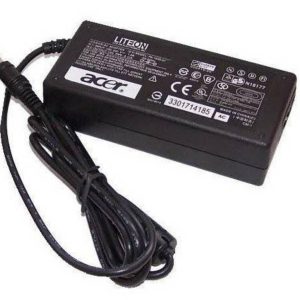
  • Dell E6420 E6430 E6520 Battery

    Dell E6420 E6430 E6520 Battery

    0 out of 5
    KSh 3,500

    Compatible Part Numbers:
    04NW9/ 312-1163/ 312-1242/ 312-1310/ 312-1311/ 451-11947/ 4YRJH/ 8858X/ 8P3YX/ 911MD/ HCJW/ KJ321
    M5Y0X/ NHXVW/ P8TC7/ P9TJ0/ R48V3/ PRRRF/ RU485/ T54F3/ T54FJ/ UJ499/ YKF0M/ X57F1

    Compatible Models:
    Latitude E5420 Series/ Latitude E5430 Series/ Latitude E5520 Series/ Latitude E5530 Series/ Latitude E6430 Series/ Latitude E6430 ATG Series/

    Latitude E6430 XFR Series/ Latitude E6520 Series/ Latitude E6530 Series

    Latitude E5430 Series/ Latitude E5530 Series/ Latitude E6430 Series/ Latitude E6430 ATG Series/ Latitude E6430 XFR Series/ Latitude E6530 Series/ Latitude E6420 Series/ Latitude E6420 ATG Series

    DELL Inspiron 17R Series: Inspiron 4420 Series/ Inspiron 4520 Series/ Inspiron 4720 Series/ Inspiron 5420 Series/ Inspiron 5425 Series/ Inspiron 5520 Series/ Inspiron 5525 Series/ Inspiron 5720 Series

    Inspiron 7420 Series/ Inspiron 7520 Series/ Inspiron 7720 Series/ Inspiron M421R Series/ Inspiron M521R Series/ Inspiron N4420 Series/ Inspiron N4520 Series

    Inspiron N4720 Series/ Inspiron N5420 Series/ Inspiron N5520 Series/ Inspiron N5720 Series/ Inspiron N7420 Series/ Inspiron N7520 Series/ Inspiron N7720 Series

    Vostro 3460 Series/ Vostro 3560 Series

    Our batteries go through a PA+ test to ensure market compliance. We source for qualified overseas suppliers and ensure they’re they have been vigorously vetted to ensure their certification before shipping. The result? Great Products! And in this case a laptop battery that will provide reliable service.

    Ps: As well as having a good battery, users are advised on taking care of their devices.

    Battery Maintenance Tips:

    1. Do not keep the battery on charge the whole time, disconnect the charger pin once the battery charge is full.
    2. Do not let the battery charge go below 30%
    3. Discharge your battery to about 10% once every two weeks.
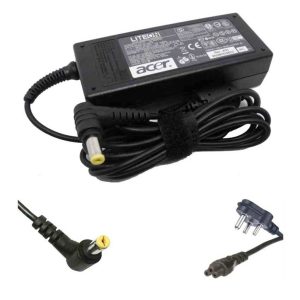
  • Dell Inspiron 14 15 battery

    Dell Inspiron 14 15 battery

    0 out of 5

    Compatible Dell Laptop Models:
    Dell Inspiron 14 (1464) | Dell Inspiron 15 (1564) | Dell Inspiron 17 (1764) | Dell Inspiron 1464
    Dell Inspiron 1464D Series | Dell Inspiron 1464R Series | Dell Inspiron I1464 Series
    Dell Inspiron 1564 Series | Dell Inspiron 1564D Series | Dell Inspiron 1564R Series
    Dell Inspiron I1564 Series | Dell Inspiron 1764 Series

    Compatible Dell Battery Part Number:
    312-1021 | 312-1022 | 451-11467
    0FH4HR | 05Y4YV | 5YRYV | 9JJGJ
    JKVC5 | K456N | NKDWV | TRJDK | CW435

    Our batteries go through a PA+ test to ensure market compliance. We source for qualified overseas suppliers and ensure they’re they have been vigorously vetted to ensure their certification before shipping. The result? Great Products! And in this case a laptop battery that will provide reliable service.

    Ps: As well as having a good battery, users are advised on taking care of their devices.

    Battery Maintenance Tips:

    1. Do not keep the battery on charge the whole time, disconnect the charger pin once the battery charge is full.
    2. Do not let the battery charge go below 30%
    3. Discharge your battery to about 10% once every two weeks.
  • Dell Inspiron 15 3521 3541 Battery

    Dell Inspiron 15 3521 3541 Battery

    0 out of 5

    Genuine Quality Product, Compatible For Specific Models

    Our batteries go through a PA+ test to ensure market compliance. We source for qualified overseas suppliers and ensure they’re they have been vigorously vetted to ensure their certification before shipping. The result? Great Products! And in this case a laptop battery that will provide reliable service.

    Ps: As well as having a good battery, users are advised on taking care of their devices.

    Battery Maintenance Tips:

    Do not keep the battery on charge the whole time, disconnect the charger pin once the battery charge is full.
    Do not let the battery charge go below 30%
    Discharge your battery to about 10% once every two weeks.

  • Dell inspiron 15 3521 Replacement Battery

    Dell inspiron 15 3521 Replacement Battery

    0 out of 5
    KSh 3,500

    Compatible Laptop Models:
    Dell Inspiron 14-3421 Series Dell Inspiron 14 Series Dell 14-3421 Series Dell 14-3437 Series Dell 14-5421 Series Dell 14-N3421 Series

    Dell 14-N5421 Series Dell 14R Series Dell 14R-3421 Series Dell Inspiron 15 Series Dell 15-3521 Series Dell 15-3537 Series

    Dell 15R-5521 Series Dell 15R-5537 Series Dell 15R-N3521 Series Dell 15R-N5521 Series Dell 15R-N5537 Series Dell Inspiron 17 Series

    Dell 17-3721 Series Dell 17R Series Dell 17R-5737 Series Dell 17R-N3721 Series Dell 17R-N3737 Series Dell 17R-N5721 Series

    Dell 17R-N5737 Series Dell 3421 Series

    Dell 3437 Series Dell N5521 Series

    Dell N5537 Series Dell N5721 Series Dell N5737 Series

    Dell Latitude 14 3000 Series Dell Latitude 15 3000 Series

    Dell Latitude 3440 Series Dell Latitude 3540 Series

    Dell Latitude E3440 Series Dell Latitude E3540 Series

    Dell Vostro 2421 Series Dell Vostro 2521 Series

    Our batteries go through a PA+ test to ensure market compliance. We source for qualified overseas suppliers and ensure they’re they have been vigorously vetted to ensure their certification before shipping. The result? Great Products! And in this case a laptop battery that will provide reliable service.

    Ps: As well as having a good battery, users are advised on taking care of their devices.

    Battery Maintenance Tips:

    1. Do not keep the battery on charge the whole time, disconnect the charger pin once the battery charge is full.
    2. Do not let the battery charge go below 30%
    3. Discharge your battery to about 10% once every two weeks.
  • Dell Latitude E4300 E4310 Battery

    Dell Latitude E4300 E4310 Battery

    0 out of 5

    Compatible Models:
    Dell Latitude E4300,
    Dell Latitude E4300N
    Dell Latitude E4310
    Dell Latitude E4400

    Our batteries go through a PA+ test to ensure market compliance. We source for qualified overseas suppliers and ensure they’re they have been vigorously vetted to ensure their certification before shipping. The result? Great Products! And in this case a laptop battery that will provide reliable service.

    Ps: As well as having a good battery, users are advised on taking care of their devices.

    Battery Maintenance Tips:

    1. Do not keep the battery on charge the whole time, disconnect the charger pin once the battery charge is full.
    2. Do not let the battery charge go below 30%
    3. Discharge your battery to about 10% once every two weeks.
  • Dell Latitude E5400 E5500 E5410 E5510 Battery

    Dell Latitude E5400 E5500 E5410 E5510 Battery

    0 out of 5

    Compatible Models: For Dell E5400 E5410 E5500 E5510 Replacement for Part # RM661 KM970 RM649 MT322 PW640 KM668 KM752 KM970 WU841 T749D KM760 KM742 312-0762 312-0769 451-10616 KM769 0RM668 312-0902 451-10617 KM771 replacement notebook laptop battery batteries

    Our batteries go through a PA+ test to ensure market compliance. We source for qualified overseas suppliers and ensure they’re they have been vigorously vetted to ensure their certification before shipping. The result? Great Products! And in this case a laptop battery that will provide reliable service.

    Ps: As well as having a good battery, users are advised on taking care of their devices.

    Battery Maintenance Tips:

    1. Do not keep the battery on charge the whole time, disconnect the charger pin once the battery charge is full.
    2. Do not let the battery charge go below 30%
    3. Discharge your battery to about 10% once every two weeks.
  • Dell Vostro 3450 3550 3750 3550N Battery

    Dell Vostro 3450 3550 3750 3550N Battery

    0 out of 5

    Compatible Part Numbers:
    J1KND, 4T7JN, 312-0234, 04YRJH, 9T48V, 383CW, W7H3N, 312-0233, 451-11510, 07XFJJ, 9TCXN, YXVK2

    Compatible Models:
    Dell Vostro 1450, 3450, 3550, 3550N, 3750
    M501, M501R, M5010, M5010R, M501D, M5110, M5030, M5030R, M411R, M511R, M4110, 3550, 3550N, M5010D, M5020
    Dell 13R, N3010, N3010D, N3010D-148, N3010D-168, N3010D-178, N3010D-248, N3010D-268, 3010-D330, 3010-D370HK 3010-D370TW, 3010-D381, 3010-D430, 3010-D460HK, 3010-D460TW, 3010-D480, 3010-D52, 3010-D621, Ins13RD-348, Ins13RD-448 Ins13RD-448LR, T510432TW, T510431TW
    Dell 14R, N4110, N4010, N4010D, N4010D-158, N4010D158, N4010D-158, N4010D-248, N4010D-258, N4010R, 4010-D330 4010-D370HK, 4010-D370TW, 4010-D381, 4010-D382, 4010-D430, 4010-D460HK, 4010-D460TW, 4010-D480, 4010-D520, Ins14RD-438 Ins14RD-448B, Ins14RD-458, T510401TW, T510402TW, T510403TW
    Dell 15R, N5110, N5010D-148, N5010D-168, N5010, N5010D-148, N5010D-168, N5010D-258, N5010D-278, 5010-D330, 5010-D370HK 5010-D382, 5010-D430, M5020, M5030, 5010-D460HK, 5010-D480, 5010-D481, 5010-D520, N5010R, N5030, N5030D, N5030R, N5040, N5050 5010-D460HK, Ins15RD-458B, Ins15RD-488
    17R, N7110, N7010, N7010R, N7010D

    Our batteries go through a PA+ test to ensure market compliance. We source for qualified overseas suppliers and ensure they’re they have been vigorously vetted to ensure their certification before shipping. The result? Great Products! And in this case a laptop battery that will provide reliable service.

    Ps: As well as having a good battery, users are advised on taking care of their devices.

    Battery Maintenance Tips:

    1. Do not keep the battery on charge the whole time, disconnect the charger pin once the battery charge is full.
    2. Do not let the battery charge go below 30%
    3. Discharge your battery to about 10% once every two weeks.
  • Dell Vostro 3458 3558 Battery

    Dell Vostro 3458 3558 Battery

    0 out of 5

    Compatible Part Numbers: 07G07, 451-BBOO, 453-BBBR, 6YFVW, GXVJ3, HD4J0, K185W, M5Y1K, P28E, P52F, P60G, P60G001, P63G, P63G001, P64G, P64G001, P65G, WKRJ2
    DELL Inspiron Models: 14 3451, 14 5458, 14 3000, 14 5000, 5459, 14-3451, 14-3452, 14-3458, 14-3462, 14-3465, 14-3467, 14-5458, 15 3551, P47F, 15 5551, P51F, 15 3000, 15-3451, 15-3552, 15-3558, 15-3565, 15-3567
    15-5552, 15-5558, 15-5559, 17, 5758, 3451, 3462, 3465, 3467, 3551, 3552, 3565, 3567, 5451, 5452, 5455, 5458, 5551, 5552, 5555, 5558, 5559, 5755, 5758, 3460
    DELL Vostro Models: 3560, 14 3458, 14 3459, 15 3558, 15 3559, 3458, 3459, 3468, 3558, 3559, 3561, 3568

    Our batteries go through a PA+ test to ensure market compliance. We source for qualified overseas suppliers and ensure they’re they have been vigorously vetted to ensure their certification before shipping. The result? Great Products! And in this case a laptop battery that will provide reliable service.

    Ps: As well as having a good battery, users are advised on taking care of their devices.

    Battery Maintenance Tips:

    1. Do not keep the battery on charge the whole time, disconnect the charger pin once the battery charge is full.
    2. Do not let the battery charge go below 30%
    3. Discharge your battery to about 10% once every two weeks.

End of content

End of content